





The emergency app for Santa Maria.
Shake or tap SOS, share your pin, and follow the rescuer. Sagip still works offline.



Ask for help in four moves
Confirm the SOS, share your pin, follow the rescuer, and keep a text path if data drops.
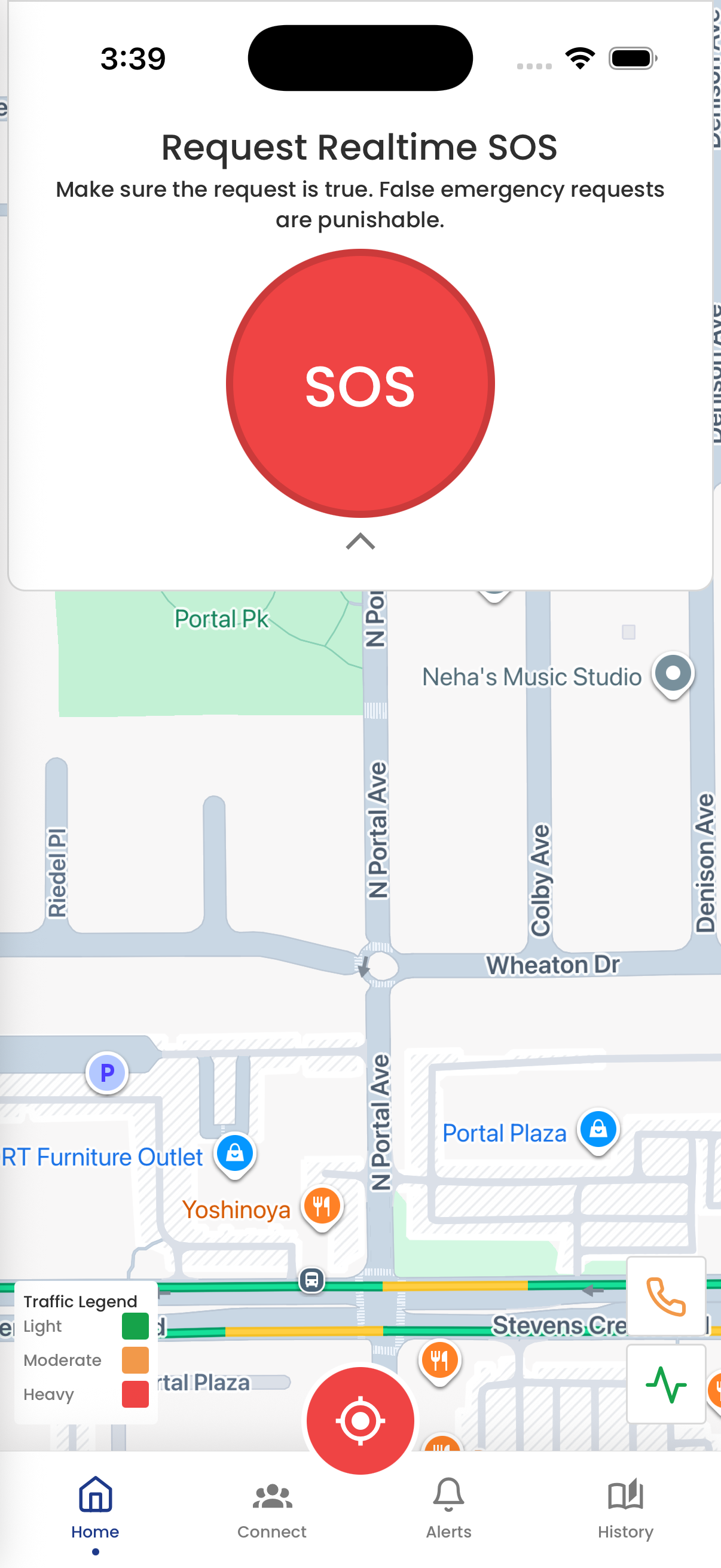
How it works
Three steps from a shake to a rescuer on the map.
Send SOS
Shake the phone, tap the button, or use the home-screen widget. Sagip asks you to confirm.
Dispatch responds
A dispatcher sees the request and assigns a rescuer and vehicle.
Follow the way
Watch the ambulance move toward you. If the network drops, the SOS can still go out as a text.
Why Sagip
Built for Santa Maria residents and the MDRRMO, not a generic panic button.
Shake to SOS
A hard shake opens the same confirmation as the button and the widget, even from the background on Android.
Live location
When-in-use GPS rides with the request, and Sagip keeps refining the pin.
Follow the rescue
Once a unit is assigned, watch the ambulance head to your pin.
Offline text
No data? Sagip opens Messages with the SOS so you tap Send.

A phone call vs using Sagip
Both reach the MDRRMO of Santa Maria. A call is you explaining it out loud. Sagip sends your pin and shows the ambulance on the way. Call the hotline when talking is faster.
| Compared | On a phone call | In the Sagip app |
|---|---|---|
| How you ask | Dial 0923-022-6973 and say what happened. | Shake or tap SOS, then confirm. |
| Account | None. Any phone can call. | A Sagip account. SOS still sends while your ID is pending. |
| Where you are | You describe the street and a landmark. | Your pin goes with the request. |
| Who is coming | Only what dispatch can tell you on the call. | Watch the assigned ambulance move toward you. |
| No mobile data | A voice call still works on the cell network. | Sagip opens Messages so you tap Send, then can call. |
| After you ask | You hang up and wait for a callback. | The request stays on your phone until help arrives. |
Questions
Write to [email protected] if you need the MDRRMO team.
Who can use this app?
Residents of the 24 barangays of Santa Maria, Bulacan, age 13 and up. Rescuers and dispatchers at the MDRRMO use the same app to receive, assign, and close requests. You can still send an SOS while your account is unverified. When the location limit is on, requests are only accepted from inside Santa Maria.
How do I send an SOS?
Tap the SOS button, shake the phone, or tap the home-screen widget. Sagip asks you to confirm before the request goes out.
Which networks work with shake to request?
Shake to request works on Android for every network — Globe, TM, Smart, TNT, Sun, and DITO — when the phone has balance. Only Globe and TM can use utang load through Messages if data or SMS load is low. On iPhone, use Back Tap or the SOS button instead of shake.
Can I request an emergency without using the app?
Yes. Call the MDRRMO hotline at 0923-022-6973. Dispatchers can also encode an external request for someone who is not a Sagip user. Sagip is not connected to national 911 and does not replace calling the hotline when that is faster.
What if I have no mobile data?
The offline path opens Messages with the SOS text so you can send it yourself, then can place the emergency call. You stay in control of the send.
Who can see my location?
Location is when-in-use. Dispatch and the assigned rescuer use the coordinates on your SOS. Accepted friends can also open a shared pin from Connect.
Do I need an approved account to ask for help?
You can still send an SOS while verification is pending. Dispatch sees an unverified badge until an admin approves your ID.






Help is one shake away
Sagip is the emergency app for Santa Maria residents, rescuers, and dispatch.